
Perceptual Graphics Quality Evaluation Metrics, Part 2
Published:
(work in progress…)
The evaluation of 3D rendering, especially real-time as extended reality (XR) is challenging. This complecation increases once the human perception knowledge is added as that is more variable than uniform. Consequently, user study-dependent evaluation is more reliable than quality evaluation metrics. However, the subjective assessment is time-consuming, expensive, user-biased, and polluted with several limitations. On the contrary, the objective evaluation metrics are fast, mathematically accurate, and more reliable. Nonetheless, the conventional pixel-based approaches (See Details), e.g., MSE, PSNR, and SSIM, fail to assess the true human evaluation process. Conversely, the perceptual evaluation metrics are comperatively performs better (see Perceptual Graphics Quality Evaluation Metrics, Part 1). Under this post, we will further investigate other perceptual quality evaluation metrics that utilize the Visual Difference Predictor (VDP).
- FovVideoVDP
- ColorVideoVDP (Project Page, git repo)
- HDR-VDP-2
- HDR-VDP-2.2
- HDR-VDP-3
- ColorVideoVDP-ML
The VDP genere metrics also referred to the White Box Approaches (HDR-VDP) while the previous perceptual metrics (Perceptual Graphics Quality Evaluation Metrics, Part 1) could be mostly Black Box Approaches. The VDP metrics performs better considering the display parameters. However, as for general limitations, HDR-VDP-2 is limited to achromatic and static; FovVideoVDP considers spatio-temporal with foveation; however limited to the achromatic; and ColorVideoVDP considers spatio-temporal, chromatic, XR-ready, differentiable; nonetheless, still lack explicit binocular 3D modeling and comfort prediction.
FovVideoVDP
The FovVideoVDP is a video/ image difference metric that models the spatial, temporal, and peripheral aspects of perception (See project page, git repo). It is a full reference metrics and to the best of my knowledge, this is the only metric that considers eccentricity and foveated aspect of vision. Unlike the other metrics, e.g., PSNR, SSIM, FovVideoVDP requires the physical display data (e.g., standard_4k, standard_fhd, viewing conditions (size, resolution, peak luminance, viewing distance, etc.). It works with both SDR and HDR content.
The FovVideoVDP reports a quality score in JOD (Just-Objectionable-Difference) units: 10 = no visible difference, lower is worse (can be < 0 for very strong/unrelated differences).
Use
Open terminal (e.g., Windows terminal or, Visual Studio Code or anyother) and install using pip install torch pyexr pyfvvdp or simply pip install pyfvvdp should also work fine. Afterwards, you can run:
fvvdp --ref .\sponza_uni_0_32.png --test .\sponza_fov_0.png --display standard_4k --foveated --heatmap supra-threshold --output-dir out/
fvvdp --ref .\sponza_uni_0_32.png --test .\sponza_uni_0.png --display standard_4k --heatmap supra-threshold --output-dir out/
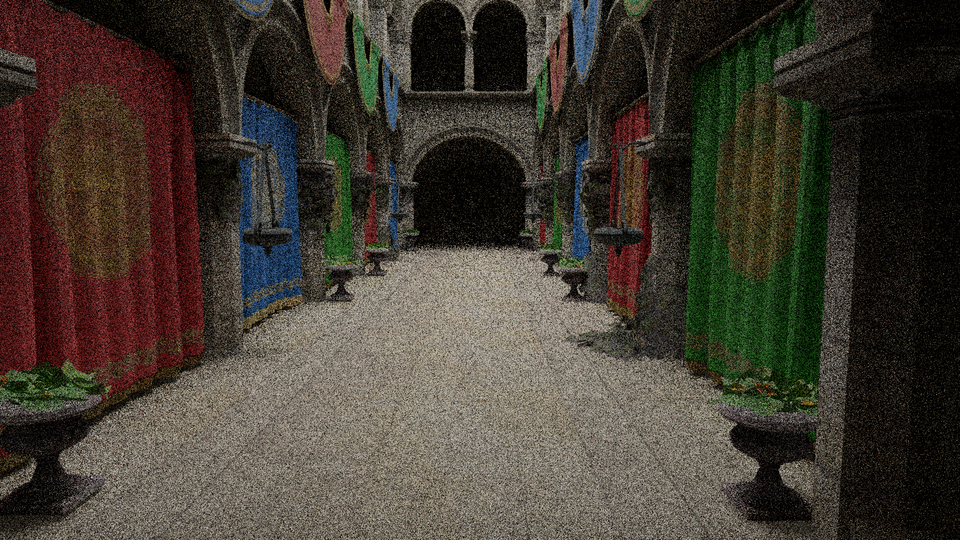
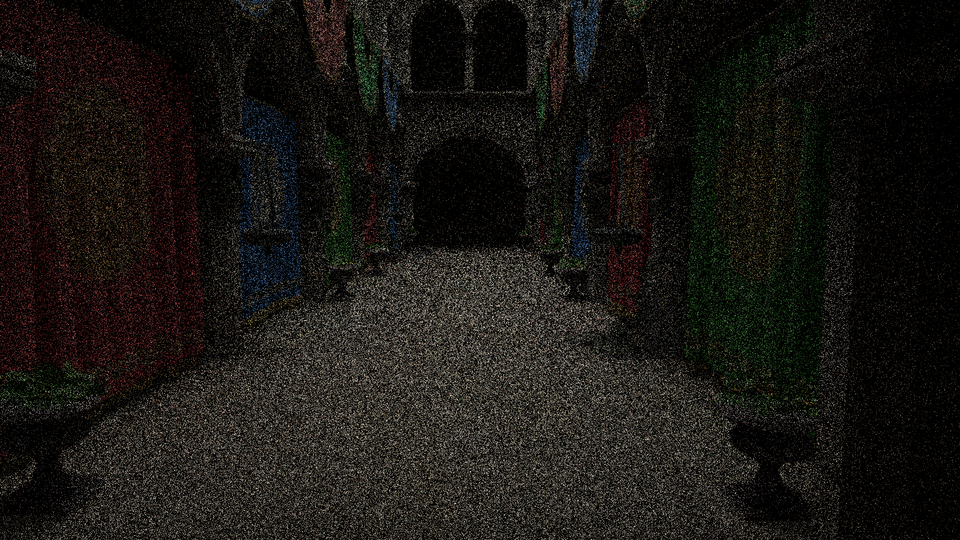
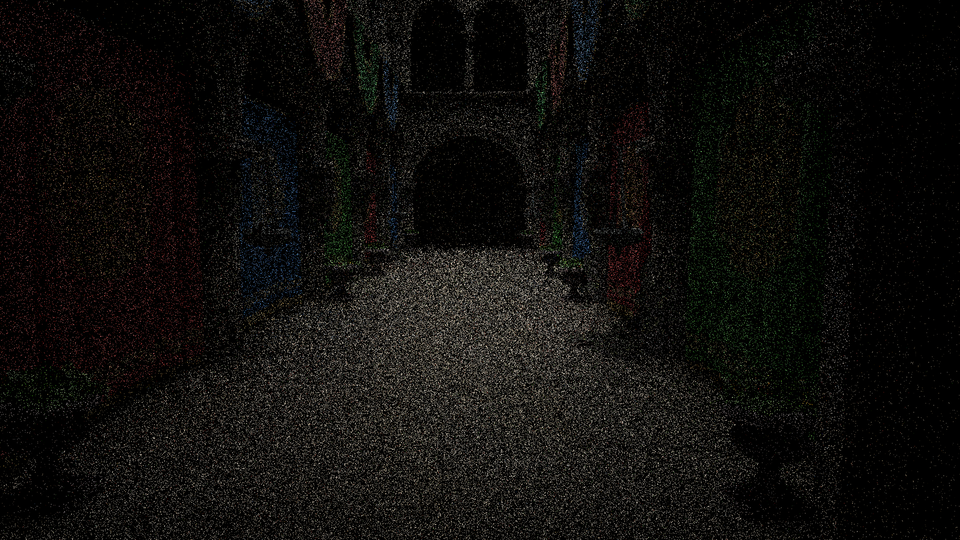
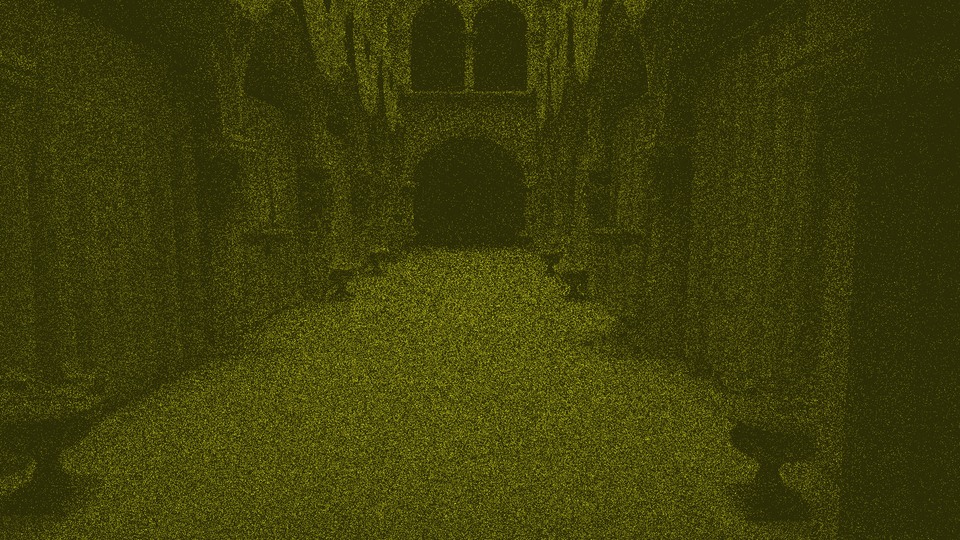
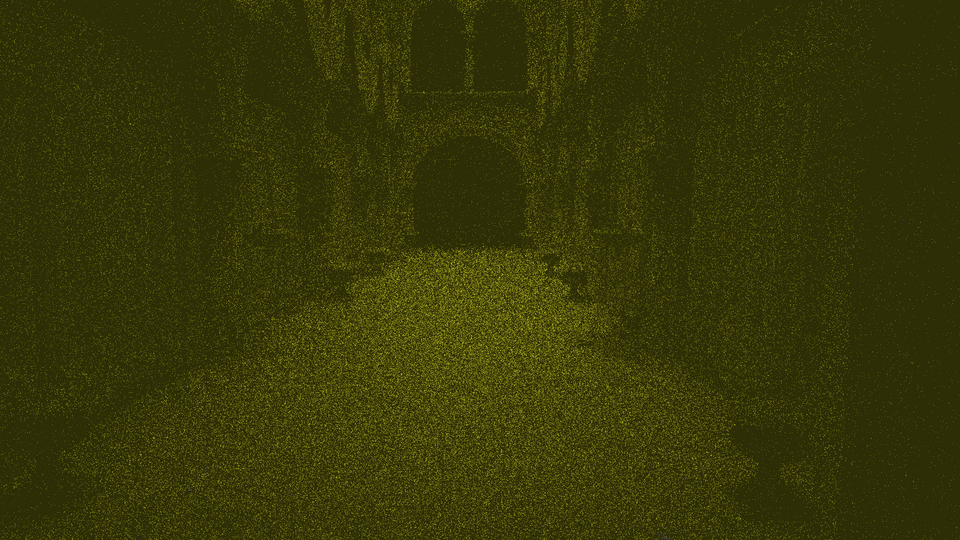
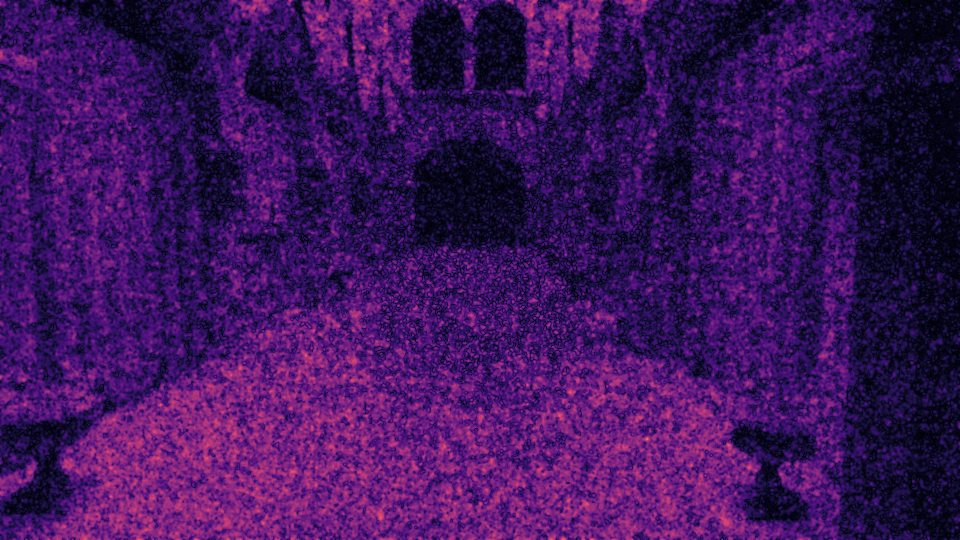
For instance, here is a heatmap comparison between Crytek Sponza scene generated by uniform (constant 4 samples-per-pixel) path tracing (FovVideoVDP=3.8321 [JOD]) and foveated (maximum 4 samples-per-pixel and minimum 1 sample-per-pixel with different degradation strategies) path tracing (FovVideoVDP=3.4431 [JOD]) with respect to the uniform (32 samples-per-pixel) path tracing. For foveated evaluation, use the --foveated command. Figure 6 is the FLIP evaluation (Mean: 0.201726, Weighted median: 0.263627, 1st weighted quartile: 0.182165, 3rd weighted quartile: 0.353026, Min: 0.001038, Max: 0.703269) between the uniform (4 samples-per-pixel) and foveated (max 4 samples-per-pixel) heatmaps (uniform, fig 4 and foveated, fig 5) generated by FovVideoVDP.
 |  |  |
 |  |  |
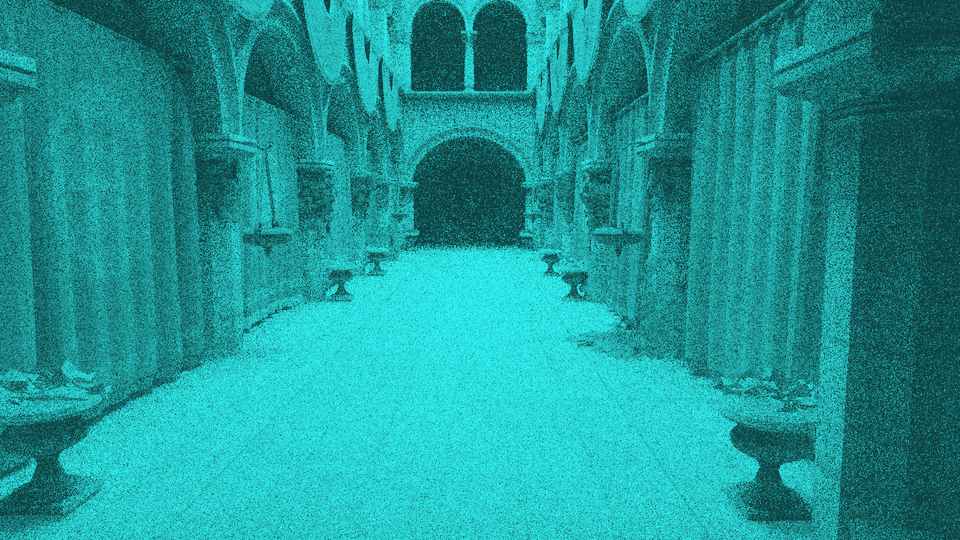 |
Figure 1. Foveated Path Tracing Evaluation.
Batch Evaluation
p.s., FovVideoVDP also can perform batch evaluation, for instance fvvdp --ref "ref/*.png" --test "test/*.png" --display standard_fhd --heatmap supra-threshold --output-dir out/
Batch Python
call this sample code as python -u .\fovVideoVDP_sample_code_batch.py
import os
import csv
import time
import traceback
from pathlib import Path

import numpy as np
from PIL import Image
import torch
import pyfvvdp


# =========================================================
# Configuration
# =========================================================
DISPLAY_NAME = "standard_4k"
FOVEATED = True
HEATMAP_MODE = "supra-threshold"  # "none", "raw", "threshold", "supra-threshold"
SAVE_HEATMAPS = True

OUTPUT_DIR = Path("out_TargetMethod")
HEATMAP_DIR = OUTPUT_DIR / "heatmaps"
CSV_PATH = OUTPUT_DIR / "fovvideovdp_TargetMethod.csv"

pairs = [
    ("1AON", "refs/reference01.png", "target/target01.png", "TargetMethod"),
    ("1GRL", "refs/reference02.png", "target/target02.png", "TargetMethod"),
]


# =========================================================
# Helper: convert PyTorch scalar to Python float
# =========================================================
def tensor_to_float(x):
    if isinstance(x, torch.Tensor):
        return float(x.detach().cpu().item())
    return float(x)


# =========================================================
# Helper: save FovVideoVDP heatmap as PNG
# =========================================================
def save_heatmap_png(heatmap_tensor, out_path):
    """
    FovVideoVDP heatmap is usually shaped as:
        [1, C, F, H, W]

    where:
        C = 3 for threshold / supra-threshold heatmaps
        C = 1 for raw heatmap
        F = 1 for a still image
    """
    hm = heatmap_tensor.detach().cpu()

    if hm.ndim != 5:
        raise ValueError(f"Unexpected heatmap shape: {hm.shape}")

    # Take first batch and first frame:
    # [1, C, F, H, W] -> [C, H, W]
    hm = hm[0, :, 0, :, :].to(torch.float32)

    # [C, H, W] -> [H, W, C]
    hm = hm.permute(1, 2, 0).numpy()

    # If raw heatmap has one channel, convert to RGB for PNG saving
    if hm.shape[2] == 1:
        hm = np.repeat(hm, 3, axis=2)

    hm = np.nan_to_num(hm, nan=0.0, posinf=1.0, neginf=0.0)
    hm = np.clip(hm, 0.0, 1.0)

    hm_uint8 = (hm * 255.0).astype(np.uint8)
    Image.fromarray(hm_uint8).save(out_path)


# =========================================================
# Main
# =========================================================
def main():
    print("Starting FovVideoVDP batch evaluation...", flush=True)

    device = torch.device("cuda:0") if torch.cuda.is_available() else torch.device("cpu")
    print(f"Device       : {device}", flush=True)
    print(f"Display model: {DISPLAY_NAME}", flush=True)
    print(f"Foveated     : {FOVEATED}", flush=True)
    print(f"Heatmap mode : {HEATMAP_MODE}", flush=True)

    OUTPUT_DIR.mkdir(parents=True, exist_ok=True)
    if SAVE_HEATMAPS:
        HEATMAP_DIR.mkdir(parents=True, exist_ok=True)

    print("\nCreating FovVideoVDP metric...", flush=True)

    fv = pyfvvdp.fvvdp(
        display_name=DISPLAY_NAME,
        foveated=FOVEATED,
        heatmap=HEATMAP_MODE,
        device=device,
        quiet=False
    )

    metric_info = fv.get_info_string()
    print(f"Metric info: {metric_info}", flush=True)

    results = []

    for molecule, ref_path, test_path, setting in pairs:
        print(f"\nProcessing {molecule} - {setting}", flush=True)
        print(f"Reference: {ref_path}", flush=True)
        print(f"Test     : {test_path}", flush=True)

        if not os.path.exists(ref_path):
            raise FileNotFoundError(f"Reference image not found: {ref_path}")

        if not os.path.exists(test_path):
            raise FileNotFoundError(f"Test image not found: {test_path}")

        ref = pyfvvdp.load_image_as_array(ref_path)
        test = pyfvvdp.load_image_as_array(test_path)

        if ref.shape[0] != test.shape[0] or ref.shape[1] != test.shape[1]:
            raise ValueError(
                f"Image resolution mismatch for {molecule}: "
                f"ref shape={ref.shape}, test shape={test.shape}"
            )

        start = time.time()

        with torch.no_grad():
            # IMPORTANT:
            # FovVideoVDP uses test first, reference second.
            q_jod, stats = fv.predict(test, ref, dim_order="HWC")

        elapsed = time.time() - start
        q_jod_value = tensor_to_float(q_jod)

        print(f"FovVideoVDP score: {q_jod_value:.6f} JOD", flush=True)
        print(f"Time taken        : {elapsed:.3f} s", flush=True)

        heatmap_path = ""

        if SAVE_HEATMAPS and isinstance(stats, dict) and "heatmap" in stats:
            heatmap_path = HEATMAP_DIR / f"{molecule}_{setting.lower()}_heatmap.png"
            save_heatmap_png(stats["heatmap"], heatmap_path)
            heatmap_path = str(heatmap_path)
            print(f"Saved heatmap     : {heatmap_path}", flush=True)

        results.append({
            "molecule": molecule,
            "setting": setting,
            "fovvideovdp_jod": q_jod_value,
            "display_name": DISPLAY_NAME,
            "foveated": FOVEATED,
            "heatmap_mode": HEATMAP_MODE,
            "metric_info": metric_info,
            "heatmap_path": heatmap_path
        })

    with open(CSV_PATH, "w", newline="") as f:
        writer = csv.DictWriter(
            f,
            fieldnames=[
                "molecule",
                "setting",
                "fovvideovdp_jod",
                "display_name",
                "foveated",
                "heatmap_mode",
                "metric_info",
                "heatmap_path"
            ]
        )
        writer.writeheader()
        writer.writerows(results)

    print(f"\nSaved CSV: {CSV_PATH}", flush=True)
    print("Done.", flush=True)


if __name__ == "__main__":
    try:
        main()
    except Exception:
        print("\nERROR occurred:", flush=True)
        traceback.print_exc()